
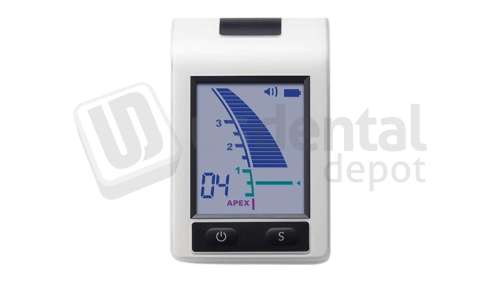
J MORITA - Root ZX mini - Apex Locator Unit Includes: Probe Cord, File Holders (3), Contrary Electrodes (5), Function Tester, "AAA" Alkali Batteries (3) - # 24-5357934
9210_f.png)
9209_f.jpg)
Earn up to 1,271 rewards points with this product!
Join today and start earning rewards points and unlock exclusive savings with US Dental Depot's Customer Loyalty Rewards Program

Description

🗹 Accurate measurement
🗹 Large LCD color display
🗹 No zero adjustment
🗹 Always immediately ready for use
🗹 Automatic calibration
🗹 Compact size
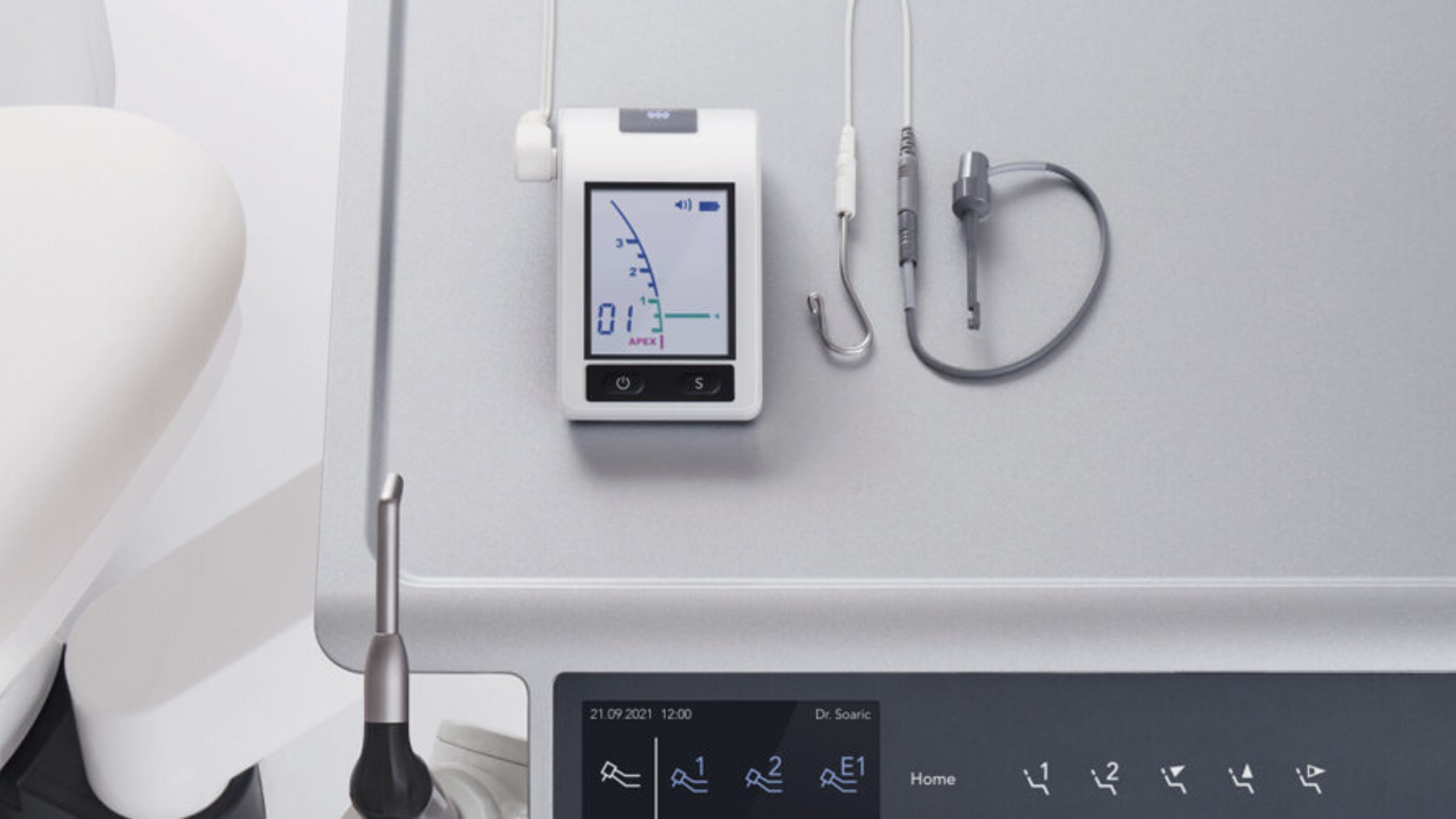
J MORITA - Root ZX mini - Apex Locator Unit
Hiding behind this perfectly formed design is a high-performance Apex Locator in the tradition of the worldwide leading endodontic product family from Morita. As with its multiple award-winning predecessor, the Root ZX mini also measures Root canals reliably and with absolute precision. Root ZX mini is compact, lightweight and designed to fit the hand. It can be placed on a tray, the patient’s apron, or any other convenient place.

ORDERING INFORMATION
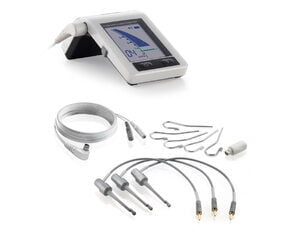
🗹 Packaging
🗹 Probe Cord
🗹 File Holders (3)
🗹 Contrary Electrodes / Lip Clips (5)
🗹 Function Tester
🗹 AA Batteries (3)
Warranty
• The Root ZX mini comes with a 1-year warranty.
Product Numbers
• Root ZX mini Apex Locator (Order no. 24-5357934)
Accessories/Replacement Parts
• Probe Cord (not compatible with Root ZX II) (Order no. 24-8449716)
• File Holders (3) (Order no. 24-4001981)
• Contrary Electrodes / Lip Clips (5) (Order no. 24-107043)
• Long File Holder (Order no. 24-8447047)
• Function Tester (Order no. 24-8449430)
FEATURES
Accurate measurement
Utilizing the ratio technique, Root ZX mini provides a highly accurate indication of the File’s location. It utilizes MORITA's industry-leading Apex location technology, which has been independently evaluated at a 97.5% accuracy rate.
The accuracy of the measurement is not affected by the presence or absence of blood, other discharges, electrolytes, saline, tap water, or hydrogen peroxide. Below is a brief description of how it works:
1. File activation
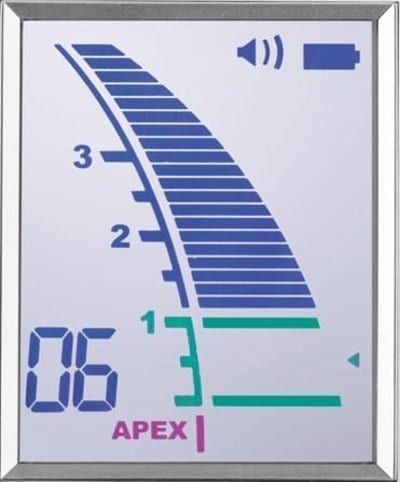
The meter is activated when the File is inserted into a Root canal. The number of bars remaining before the File reaches the flash bar is shown in the lower left corner of the display.
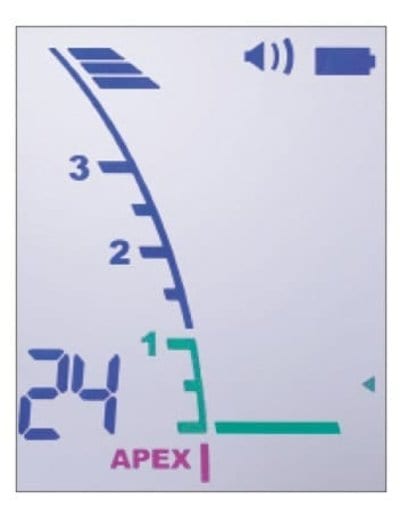
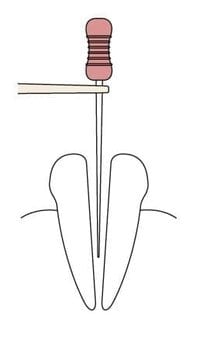
2. Position near the Apex
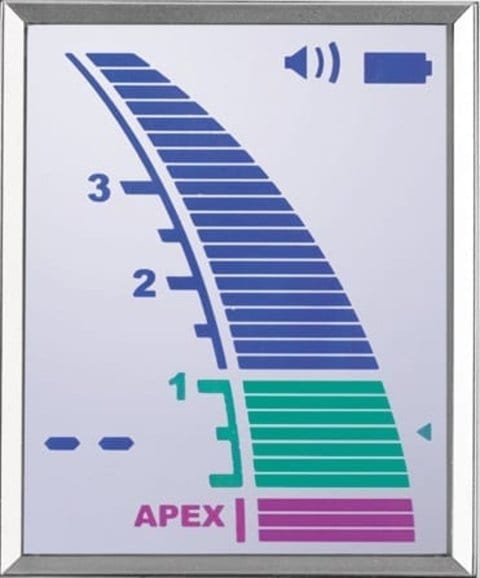
When the File tip reaches a position near the Apex, the bar color changes to green to indicate you have reached a critical area.
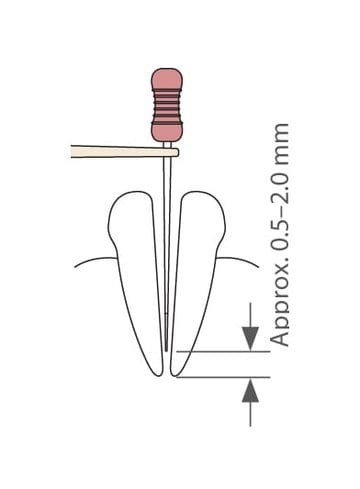
3. Position of the point set for reference
The small triangle on the right side of the meter indicates the point set for reference.
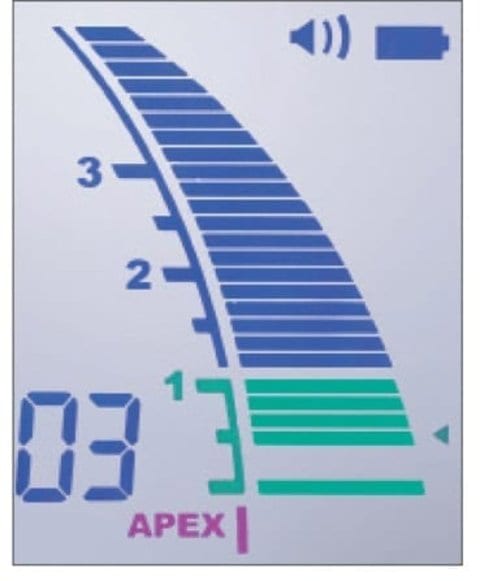
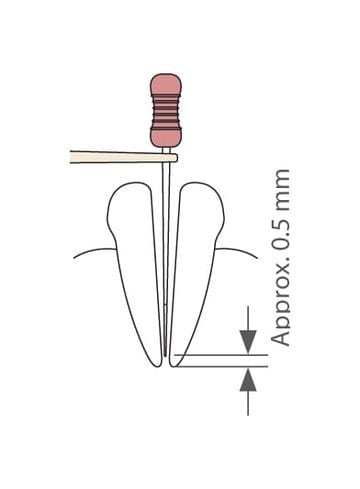
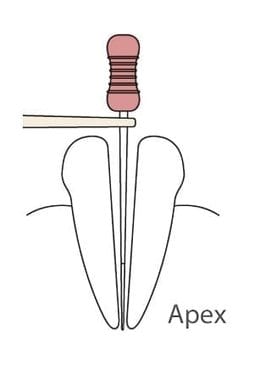
4. Position by the "Apex“
The position of the Apex is represented by the word “Apex”. The meter bars in this area are pink.
Large LCD color display
The Root ZX mini’s large LCD color display impresses by being so easily readable – with its clear bar and high-contrast image. The positions of the flash bar and the memory bar can be set as guides for canal measurement and enlargement.
1 - Flash bar
The reference point for measurement or enlargement can be set anywhere between 2 and Apex.
The reference point for measurement or enlargement can be set anywhere between 2 and Apex.
2 - Memory bar
It can be used to mark the beginning of a sharp curve or some certain distance from the Apex. It can also be used as a guide when the File size is changed for canal enlargement. The memory bar can be set only by the measurement state.
It can be used to mark the beginning of a sharp curve or some certain distance from the Apex. It can also be used as a guide when the File size is changed for canal enlargement. The memory bar can be set only by the measurement state.
3 - Information display
Number of bars left before flash bar is reached (during measurement). Memory no. for flash bar (without measurement).
Number of bars left before flash bar is reached (during measurement). Memory no. for flash bar (without measurement).
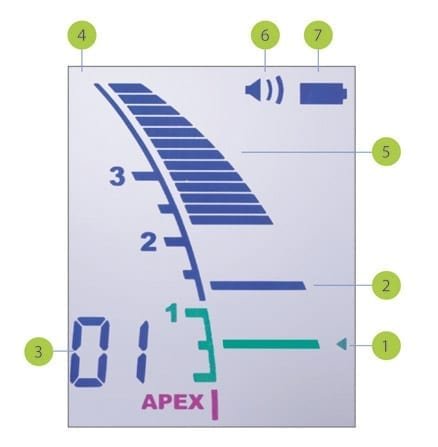
4 – Liquid crystal display
5 – Canal length indicator bars
6 – Sound volume (off, low, high)
7 – Battery power indicator
No zero adjustment – always immediately ready for use
It is not necessary to set the device on zero before measuring each individual canal.
Automatic calibration
Automatic calibration ensures accuracy and eliminates the effect of changes in temperature, moisture, etc. inside the canal, even during treatment.
SPECIFICATION
Product name
Type
Electric power supply
Output
Size
Weight